Thursday, September 15, 2016

The Year Ahead -- A Preview!


It’s an exciting start to the 2016-2017 school year! We are off and running with innovative and modern instructional strategies within classrooms as we work towards developing Digital Learners!

IMG_1079.JPG
Today’s Digital Learners need to be:
  • Empowered learners
  • Digital citizens
  • Knowledge constructors
  • Innovative designers
  • Computational thinkers
  • Creative communicators
  • Global collaborators


Does this sound familiar?  Well, these are the new, 2016 ISTE Standards for Students, released this summer. In Holliston, we have been using the previous standards to guide our work. We are excited about the new focus areas including global education, computational thinking, and design. We are working toward incorporating the 2016 standards in our curriculum, which is connected to one of our 2016-2017 district goals.


This year, Placentino and Miller students are experiencing further technology integration of the Nexus 7 and Google Chromebooks within their classrooms. Teachers are actively incorporating these devices into whole class and small group instruction.


On the tablets, apps such as The Foos, Kids Math Place Value, and Prodigy allow students to experience learning in a personalized way. The environment is very game-like, but one that is designed to help students learn!  The tactile experience for our youngest children is perfect developmentally! Older students are using the Chromebooks and are exploring Google Apps for Education and using the platform for communicating and collaborating, including through research projects. Through classroom use and computer class, students are also developing important skills for digital citizenship; students also experience typing instruction.


At the middle school, students are continuing to experience learning in the 1:1 Chromebook environment. Learning in a digital environment is becoming integral to how they learn -- from where they gather information (online resources and digital texts) to how they convey their learning (through creative projects). Some examples include:


  • Google Classroom for collaboration, formative assessment, and organization of student work
  • Kahoot -- a game show-like platform to gauge student understanding
  • WeVideo -- creation of student videos


1:1 Chromebooks has launched for grades 9 and 10 at Holliston High School.  Early feedback has been very positive. With students on the same platform, teachers can reliably use technology to enhance their lessons and students can use it to demonstrate their understanding. Also this year at the high school, the PIT crew (Panthers Instructional Technology) is in full swing. This student group provides technical support to students and teachers through a technology Help Desk located in the library. Additionally, they provide support to the high school’s Makerspace…drumroll please...


Makerspaces are here! A Makerspace has been installed in the Holliston High School library. This expands upon opportunities students have to engage in “the making movement” at Miller and Adams. Students are exploring elements of design-thinking through the use of tools such as vinyl cutters and 3-D printers. These are exciting opportunities for students to tinker and stretch their creative side to design and create!

Stay tuned to our blog to learn of many more examples of digital learning in Holliston throughout the year.

Wednesday, May 25, 2016

Digital Portfolios in the Elementary Classroom - Seesaw


Elementary school teachers are very excited about the new learning journal app: Seesaw.   Seesaw helps teachers and parents connect with students and keep track of their school work.   Think of Seesaw as a journal for what students learn at school: stories they wrote, math problems they solved or art projects they made.  It is a simple way for young students to independently document what they are learning at school.  It empowers students to take more ownership of their learning.  

Using the Nexus 7 tablet, students scan a QR code, created by Seesaw, to access their class.    Once they are in their class they use the tablet to draw, write and record videos or take pictures of their handwritten work.  Teachers can access Seesaw on a tablet or on their computers to view all of the work the students have created independently. 


Kindergarten teacher Nen Locke has this to say about Seesaw: “The biggest way Seesaw has helped my classroom is with parent communication. Prior to Seesaw, I was writing emails and sending individual pictures to parents.  I would also update my webpage weekly. However parents weren’t getting information in a timely manner.  Now that I use Seesaw, parents have loved getting real-time updates on what their children are working on in class and how they are making progress."  Jennifer Rosenfeld, a parent in Mrs. Locke's  class is impressed with the weekly video newsletter the students create themselves.  The children report on their weekly successes and upload the videos to Seesaw on their own.

Mrs. Locke's students are engaged and invested.  Student involvement means success all around! 


Monday, May 9, 2016

Come to the Colonies with Mrs. Vittoria

Over the past two weeks, Mrs. Vittoria's 5th grade class has completed their "RAFT" project, which traditionally has asked groups of students to prepare a class presentation on the American colony the group was assigned. However, this year, students had the option to create a recorded digital presentation rather than a face to face presentation.


After researching the colony, the students had a few options for demonstrating their knowledge. They could create an audio-only podcast, an animated presentation using voki.com, or a green-screen video newscast or infomercial. Students found this much more engaging and interesting than a traditional presentation - and by providing a recorded option we enabled students who are not comfortable with in-class presentations to have an opportunity to demonstrate learning in a way that worked for them.

Monday, May 2, 2016

HHS PIT Crew: A Student Tech Support Team

In April 2016, HHS  launched a pilot program of a student tech support team. The team, called the "PIT Crew" (for Panthers Instructional Technology) is comprised of boys and girls, grades 9-12, who have an interest in technology and tech support.

The team meets four days a week, during the Directed Study Block period, to assist students and teachers with tech support issues, such as issues with printers, projectors, and document cameras, help using laptops and student devices, maintenance of computer labs, and repair of desktop PC computers.

The team has also been trained in Chromebook repair, and is working on refurbishing non-functioning Chromebooks from the middle school.

In May, the team will be opening a Help Desk that students can visit, for help with their BYOD technology. This Help Desk will allow HHS students to get peer-to-peer assistance with their computer and smartphone tech.
PIT Crew students receiving training in Chromebook repair

PIT Crew students re-wiring the HHS Library PC Lab


Tuesday, March 22, 2016

Mrs. Hebert is Bringing Her Students' Art into the 21st Century

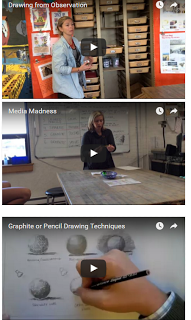
Mrs. Hebert, RAMS art teacher, has revamped her curriculum at Adams this year with "Teaching for Artistic Behavior," or  “TAB”. This curriculum framework emphasizes student choice, teaches artistic techniques rather than projects, and encourages students to make original work while developing creative thinking. She has also been leveraging technology to make her classes more relevant and engaging for her students. This has included the creation of instructional videos and the use of her website to feature student artwork.
In addition, Mrs. Hebert has developed an online portfolio program using Artsonia, an amazing platform for storing and sharing student work. Traditionally, portfolios in the visual arts have been used to showcase an artist’s best work. For 21st century learners, digital portfolios are an effective assessment tool, providing evidence of growth, documentation of student process, creating an opportunity for self reflection and ease of sharing with a larger audience.  Parents are able to view their son/daughter’s work as soon as they upload it. This allows each individual student to view their progress over time and to think about potential areas of improvement.

Throughout the year, as students complete W.O.W. pieces (Wonderful, Original Works of Art), they are use class iPads to scan the RAMS  artsonia QR code. This connects the student with their digital portfolio, and they can upload a digital photo of the artwork. After editing the image, the student can add an artist’s statement, an important reflective step in the creative process, explaining their techniques, materials, challenges, inspiration, etc.


Click here for more information about Artsonia.

Differentiated Instruction

First grade teachers Mrs. Wipfler, Mrs. Berman and Mrs. Bourque created a WIN (What I Need) block for their students based on assessment data.  Upon completion of a place value unit in Math, they administered  an end of unit assessment.  The teachers used Excel to do an item analysis of student data. They used these results to differentiate their instruction and  target skills for each child.

Three groups were formed.  
The Strategic Intervention group had difficulty with the concept and were in need of a concrete learning experience.  The students used manipulatives for a reteaching lesson.  Manipulatives have both a visual and tactile appeal and help to present the concepts explicitly.
The On Level group understood the concept but could benefit from continued practice.  They participated in a cooperative learning game from our online EnvisionMath program (the Core Math program).
The Advanced group demonstrated mastery of the unit and were assigned an App (Kids Math Place Value) on the Nexus 7 tablets. This extension activity provided students the opportunity to engage in challenging lessons.

The use of technology allowed the teachers to assess students' needs and then vary the complexity level of the activities. It helped them address student variables by manipulating level of difficulty of the content.

Monday, March 21, 2016

Literacy Portfolio in Ms. Mazzola's HHS Special Education Class

Students in Ms. Mazzola's Language, Literacy, and Composition special education class have been using Google Sites to create online learning portfolios of literacy strategies.

Throughout the year, students acquire and develop specialized strategies for reading, writing, and listening that they can use in the core and elective classes. As the year progresses, students add these strategies to their Google Site portfolio, organized and accessible whenever they need them.

The students get trained in how to create and customize the website/portfolios themselves, and they are in charge of managing its contents, adding new reading, writing, or listening strategies, and referring back to the portfolio when they need it. They are learning 21st Century web development skills at the same time that they are enhancing their ELA literacy, and are creating portfolios that they can use from year to year.